
Task table
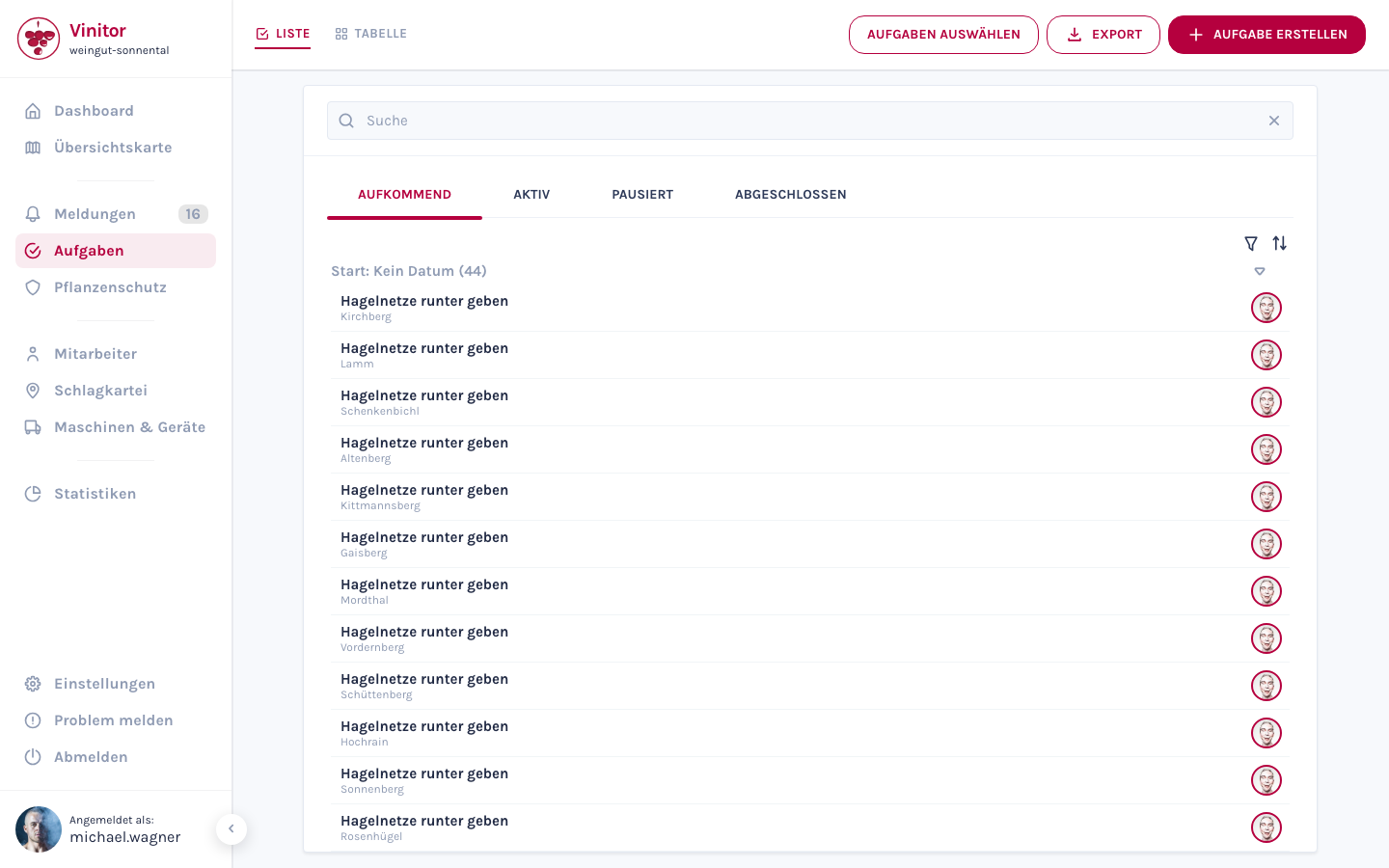
The tasks page offers two views, switched via the List and Table toggle in the top left. Both work with campaigns as their organising unit.
List view (task overview)
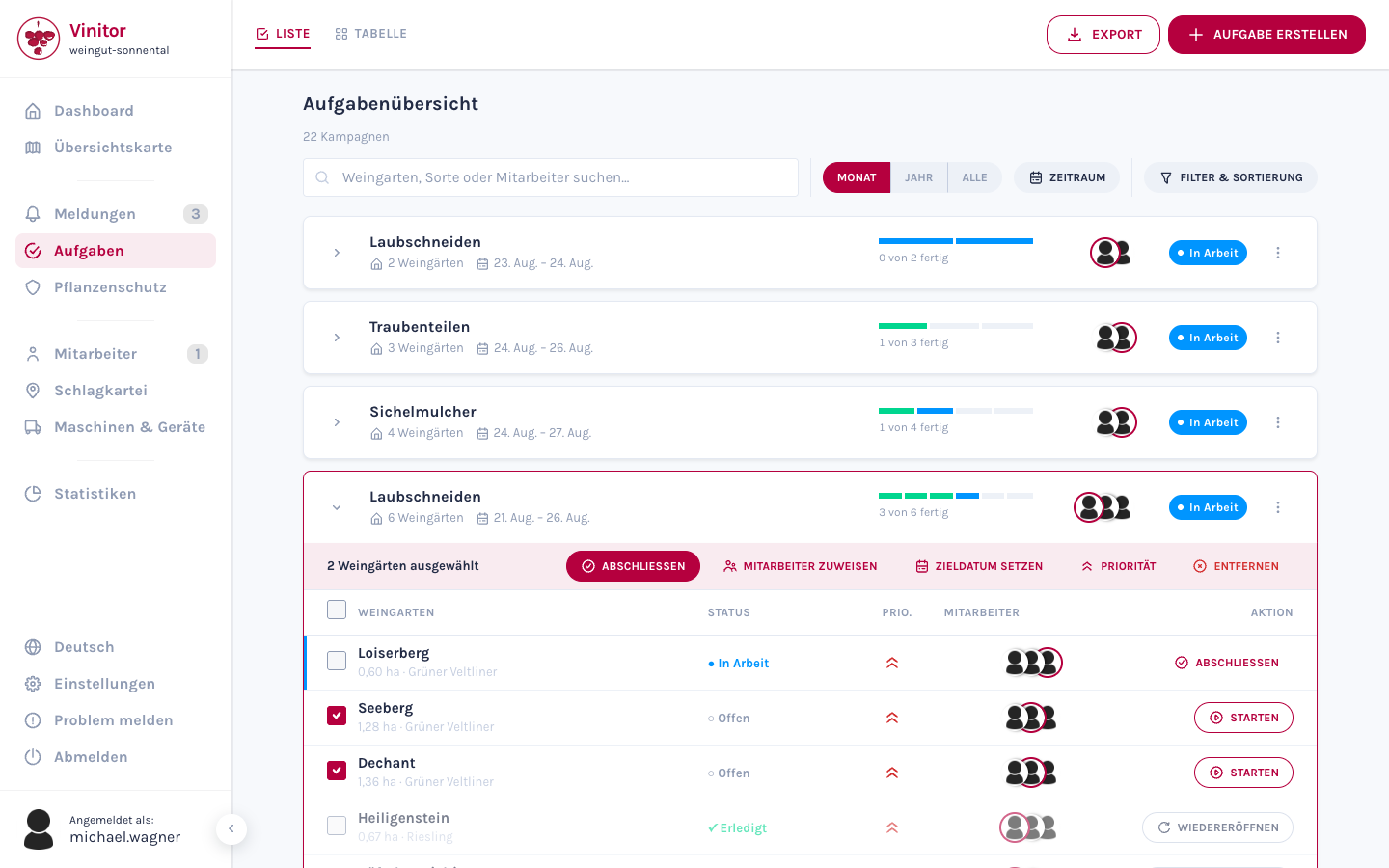
Section titled “List view (task overview)”The list view shows the task overview: one row per campaign. Below the heading is the number of campaigns found (“12 campaigns”).
Anatomy of a campaign row
Section titled “Anatomy of a campaign row”| Element | Content |
|---|---|
| Title | The task type of the campaign |
| Vineyard count | ”40 vineyards” — one task per vineyard |
| Period | Planned period, e.g. 2 June – 24 July. If only one date is set: From 2 June or Until 24 July |
| Progress bar | Notched bar — one notch per vineyard (up to 12 vineyards, continuous above that). Green = completed, blue = started |
| Progress text | ”7 of 12 done” |
| Employees | Avatars of the participating employees, task lead highlighted |
| Status chip | Open, In progress or Done |
| ⋮ Row menu | Add vineyard · Duplicate · Delete |
Row menu
Section titled “Row menu”| Action | Description |
|---|---|
| Add vineyard | Extends the campaign with further vineyards — one new task is created per vineyard. Vineyards already included are skipped |
| Duplicate | Creates a copy of the campaign — same task type, same employees, same planned dates, same vineyards. The new tasks start with the status Upcoming |
| Delete | Deletes the campaign and all of its tasks (confirmation: “Delete campaign?”) |
Expanded campaign
Section titled “Expanded campaign”Clicking the row expands the campaign. A table with one row per vineyard appears underneath.
| Column | Content |
|---|---|
| Selection | Checkbox — the header row selects all |
| Vineyard | Name of the vineyard with its additional designation |
| Status | ○ Open · ● In progress · ✓ Done |
| Prio. | Priority icon of the task |
| Employees | Avatars of the assigned employees |
| Action | Status-dependent button (see below) |
All columns except Action are sortable. If there are more vineyards than shown, Show all n vineyards appears at the end.
The button in the Action column depends on the status of the task:
| Task status | Button | Result |
|---|---|---|
| Open | Start | Task becomes active |
| In progress | Complete | Task is completed |
| Done | Reopen | Task goes back to In progress |
Action bar for multiple selection
Section titled “Action bar for multiple selection”As soon as at least one vineyard row is selected via its checkbox, an action bar appears above the table showing the number of selected vineyards:
| Action | Description |
|---|---|
| Complete | Sets all selected tasks to completed |
| Assign employees | Replaces the employees of the selected tasks |
| Set target date | Sets the planned completion date of the selected tasks |
| Priority | Sets the priority of the selected tasks |
| Remove | Removes the selected tasks from the campaign (confirmation: “These tasks will be removed from the campaign.”) |
Header bar: search, period, filter & sorting
Section titled “Header bar: search, period, filter & sorting”| Element | Description |
|---|---|
| Search field | ”Search vineyard, variety or employee…” — matches are reported per campaign as “n matches” |
| Period toggle | Month (default) · Year · All |
| Period | Custom period via From/Until |
| Filter & sorting | Expandable panel — a dot on the button indicates active settings |
In the Filter & sorting panel:
| Area | Options |
|---|---|
| Status | All · In Progress · Done (campaign status, multiple selection possible) |
| Sorting | Relevance (default) · Start date · Completion date · Name · Progress · Created — with an ascending/descending toggle |
| Reset | Resets the status filter and the sorting |
If there are no campaigns, or none match the filter, No campaigns found. appears.
Export
Section titled “Export”Use the Export button in the top right to download the task list — as Export PDF or Export CSV.
Table view (campaign matrix)
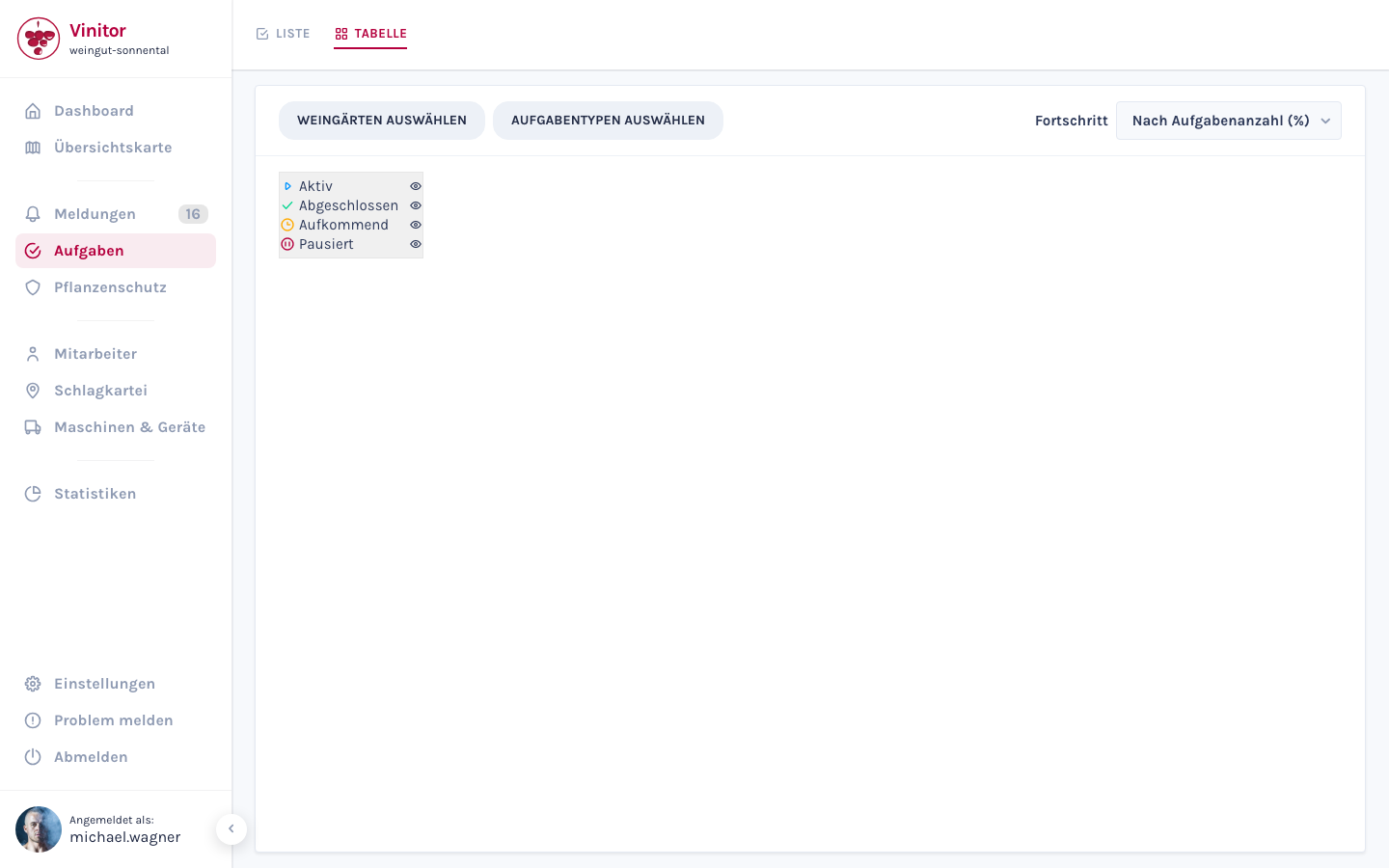
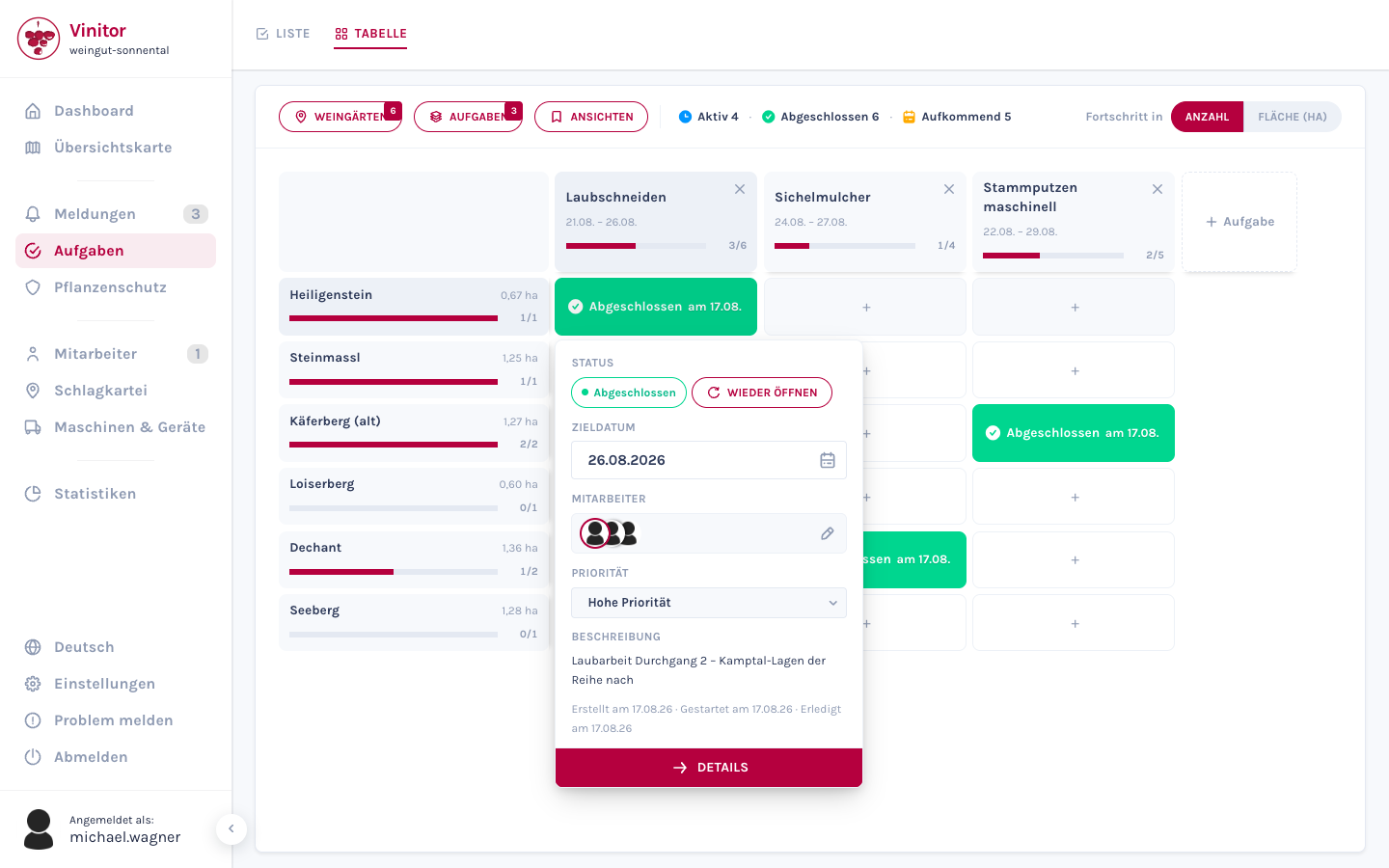
Section titled “Table view (campaign matrix)”The table view shows a matrix of vineyards (rows) and campaigns (columns).
Header bar
Section titled “Header bar”| Element | Description |
|---|---|
| Vineyards | Opens the row selection (Select vineyards); the number in the badge shows how many vineyards are selected |
| Tasks | Opens the column selection (Select tasks); the number in the badge shows how many campaigns are selected |
| Views | Saved views (see below) |
| Status chips | In Progress · Done · Upcoming, each with a count — clicking hides that status in the matrix or shows it again |
| Progress in | Segmented toggle Count / Area (ha) |
Columns and rows
Section titled “Columns and rows”- Columns are campaigns. The column header shows the task type, the period, a progress bar and the progress value. Use the × to remove a column from the view.
- Rows are vineyards and vineyard groups. Groups can be expanded, and their members then appear as sub-rows.
- Columns and rows can be reordered by drag and drop. The order is retained.
- On the far right there is a + Task column, which you use to create a new campaign.
Cell popover
Section titled “Cell popover”Clicking a cell opens a popover with quick actions.
| Cell content | Popover |
|---|---|
| Empty | Form for creating a task: Target date, Employees, Description — button Create task |
| Exactly one task | Quick view: Status with action buttons, Target date, Employees, Priority (all six levels), Description, plus Delete and Details |
| Several tasks | Header with task type, row, progress and the list of tasks — below it the Create another task form |
The status actions in the popover:
| Status | Available actions |
|---|---|
| Open | Start · Complete |
| In Progress | Complete |
| Done | Reopen |
Saved views
Section titled “Saved views”Use Views to save an arrangement of vineyards, campaigns, hidden statuses and progress mode.
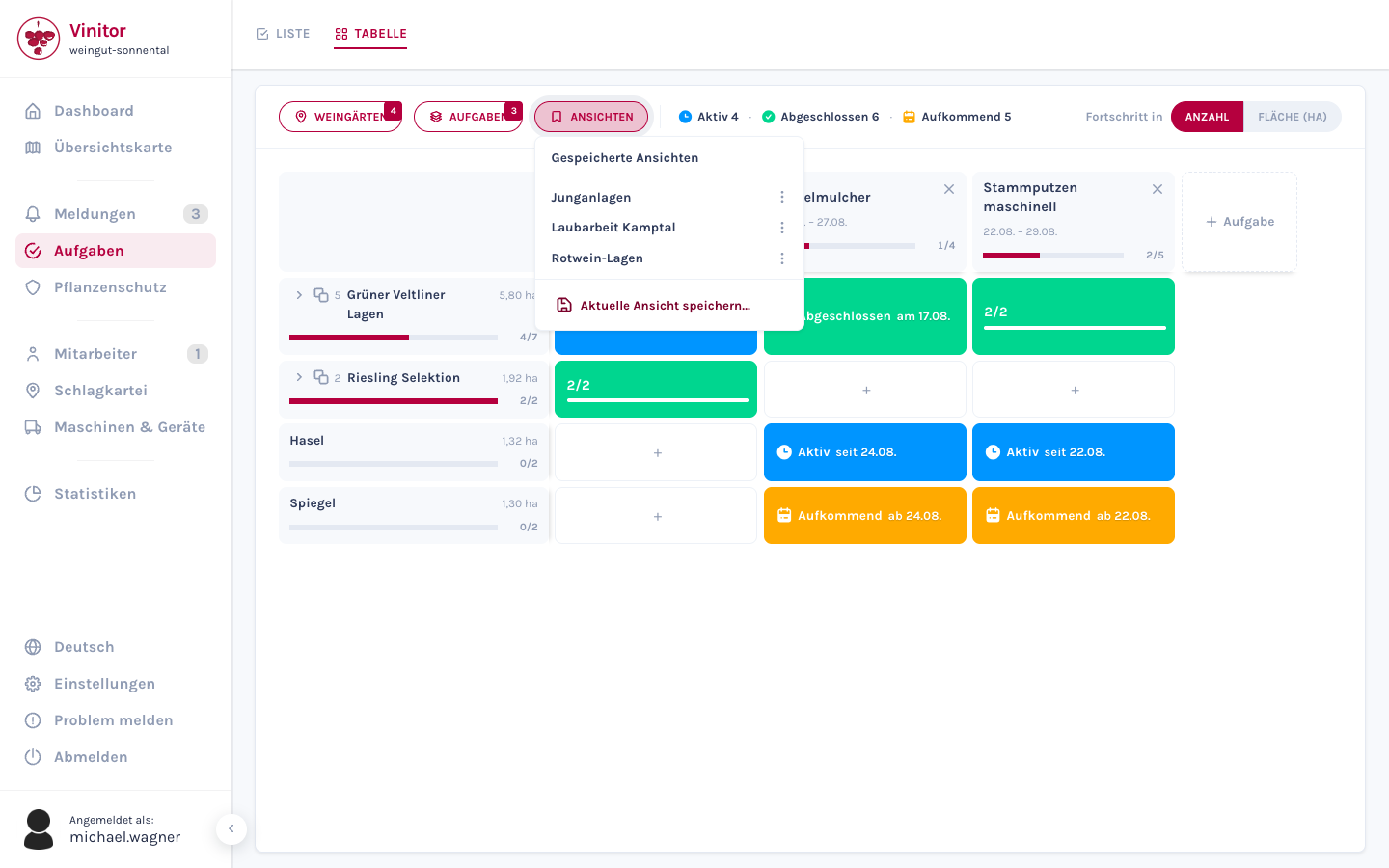
| Action | Description |
|---|---|
| Save current view… | Saves the current arrangement under a name |
| Clicking the name | Applies the view |
| Rename | Renames a saved view |
| Delete | Removes a saved view |
The name of the active view appears in the top left of the matrix and can be cleared there via ×. As soon as you change vineyards, campaigns, status chips or the progress mode, the name disappears on its own.
Saved views apply business-wide, not per user. Creating, renaming and deleting them requires the TASK_WRITE permission.
If no views have been saved yet, the panel shows No saved views yet.
Progress display
Section titled “Progress display”| Option | Description |
|---|---|
| Count | Share of completed tasks in the total number |
| Area (ha) | Progress weighted by the vine area of the assigned vineyards |
Empty state
Section titled “Empty state”If no campaigns are selected, the matrix shows No tasks selected with the buttons Select tasks and Create task.
Permissions
Section titled “Permissions”| Permission | Description |
|---|---|
| TASK_TABLE_READ | View the table view — without this permission the Table tab is not visible |
| TASK_WRITE | Create and edit tasks in the cell popover, save views |
Permissions are controlled via roles.
Related guides
Section titled “Related guides”SUPPORT
Need help?
Our team is happy to help with any questions about Vinitor.