Vinitor

What's new?

New features, improvements and bugfixes — here's what's happening at Vinitor.

Subscribe to the newsletter — we only send on new releases.

Documentation, News & AI Videos

Feature

Vinitor now has its own documentation site with guides, references, full-text search and video tutorials — voiced with a cloned voice of founder Lukas Kurz.

Improvements

  • Documentation site with guides and references
  • News page with a changelog and blog
  • Full-text search across all content
  • Video tutorials with AI voiceover (experimental)

Split Vineyard & Default Task Types

Feature Dashboard

Vineyards can now be split into two areas with a line, and new businesses start with predefined task types.

Improvements

  • Split a vineyard into two areas with a polyline
  • Reworked area editor with better UX
  • 47 predefined task types for new businesses
  • Technical modernisation — Angular 21, Spring Boot 4, Riverpod 3

Permission System, Extended Time Tracking & Vineyard Status

Feature Dashboard Mobile app

Granular permissions replace the previous roles, time tracking gets leave management and payroll, and vineyards now have a status.

Improvements

  • Granular permission system — unlock individual functions per user
  • Extended time tracking with leave and sick-leave management
  • Salary models and billing overview per employee
  • Vineyard status (active/inactive) with automatic filtering
  • Area time series show the development of cultivation
  • New user pages with a table view and detail cards
  • Reworked user management in the mobile app

Vineyard Management 2.0

Feature Dashboard

Vineyard management has been completely reworked — with an interactive map, an import wizard, a change history and a new detail page.

Improvements

  • New overview page with an interactive map and an editable table
  • Import wizard for vineyard data with conflict detection
  • Change history shows all edits per vineyard
  • Vineyard groups with optimised route calculation
  • Creation wizard for new vineyards with map drawing
  • Polygon labels directly on the map
  • Bulk deletion of vineyards
  • LEA-RLP import for Rhineland-Palatinate and LAWIS import for Switzerland

Billing, Registration & Password Reset

Feature Dashboard Infrastructure

Vinitor now has a complete billing system with Stripe, a new registration flow and password reset by email.

Improvements

  • Stripe integration for subscription management and payments
  • New registration flow with a price overview and module selection
  • Password reset by email — no manual intervention needed anymore
  • Trial with an optional payment method and cost overview
  • Automatic account suspension on missing payment
  • Email notifications for payment status and account changes

Vineyard Photos & New Page Layout

Feature Dashboard Mobile app

Vineyards can now be documented with photos, and the dashboard has received a new, more flexible page layout.

Improvements

  • Store photos directly on the vineyard — from the app or in the dashboard
  • New page layout with a compact sidebar and tooltips
  • Profile picture visible in the navigation
  • Automatic detection and cleanup of overlapping vineyard areas
  • Clarity analytics for better usage analysis

Mobile App 2.0 — Biometrics, Offline & New Icons

Feature Mobile app Infrastructure

The mobile app gets biometric login, works offline and has a fresh design with new icons.

Improvements

  • Biometric login — Face ID and fingerprint instead of a password
  • Offline mode — tasks, vineyards and reports available without internet
  • Completely new icon library for a fresher appearance
  • Tracking sessions with extended GPS follow-up
  • PostgreSQL migration for better performance and stability
  • New GIS import for vineyard geometries
  • Onboarding flow for new users

Tracking Sessions, Onboarding & Translations

Feature Mobile app Dashboard

Extended GPS tracking sessions with follow-up, a guided onboarding flow and a completely reworked translation.

Improvements

  • Tracking sessions — view GPS paths with start, end and duration
  • Onboarding flow for new users in the mobile app
  • Complete reworking of all translations
  • Profile improvements with new settings options
  • Support-centre integration directly in the app
  • Link to the external help page in the dashboard
  • Task selection improvements
  • Auth refactoring for a more stable login

Vineyard Search, Task Search & Security

Improvement Dashboard Mobile app

Quickly find vineyards and tasks with the new search function, plus a fundamentally reworked security system.

Improvements

  • Vineyard search — find the right vineyard instantly
  • Task search in the dashboard with a full-text filter
  • Reworked security system with improved token management
  • User archive — archive former employees instead of deleting them
  • Angular v15 upgrade for better performance in the dashboard
  • New translations and service-centre integration

GPS Priorities, Alternative Maps & Statistics

Improvement Mobile app Dashboard

Automatic time tracking now takes task priorities into account, and the mobile app supports various map providers.

Improvements

  • Automatic time tracking selects tasks by priority
  • Alternative map providers in the mobile app (satellite, terrain, OpenStreetMap)
  • Report types in the statistics — analysis by kind of report
  • Map view with multiple selection of all vineyards
  • Short GPS paths are filtered out automatically
  • CI/CD pipeline with automated database tests

GPS Backup, Equipment Status & Integration Tests

Improvement Infrastructure Mobile app

GPS data is now backed up, equipment has a status and the backend gets automated integration tests.

Improvements

  • GPS backup — position data is backed up server-side
  • Equipment status — active, damaged or out of service
  • Integration tests for the backend — automatic quality assurance
  • Map overview with an X button for multi-selection
  • Improved task status handling
  • GPS pause logic reworked

Module System & Server Architecture

Feature Dashboard Infrastructure

Vinitor gets a module system — businesses activate only the functions they need. Plus a fundamental reworking of the server architecture.

Improvements

  • Module system — plant protection, time tracking and other modules individually activatable
  • New server architecture with a cleaner separation of components
  • Improved error reporting with Sentry on all platforms
  • eAMA import now also available directly in the dashboard
  • Spray plan improvements with a better overview and navigation
  • Equipment status (active, damaged, out of service)
  • OpenAPI specification for the entire server API

PDF Export for Reports & Pesticide Sorting

Improvement Dashboard Mobile app

Export reports as PDF, sort pesticides and configure the task ranking in the mobile app.

Improvements

  • Export reports as PDF — for documentation and archiving
  • Pesticide list sortable by name, active substance and authorisation
  • Task ranking in the mobile app — set the order
  • Ranking optional — not every business needs it
  • Create vineyard groups directly on the map
  • Time-tracking status check before starting a session

Plant Protection Rules, Spray Plan Export & Task Optimisation

Improvement Dashboard Mobile app

Validation rules for plant protection applications, CSV export of the spray plan and better task control with priority and ranking.

Improvements

  • Validation rules for plant protection applications (pre-harvest intervals, dosage)
  • Export the spray plan as CSV — for authorities and documentation
  • Task ranking in the mobile app — what comes first is at the top
  • Upload a profile picture directly from the dashboard
  • Create vineyard groups on the map
  • Business settings — global filter, sorting and more
  • Romanian translation of the mobile app

Spray Plan Optimisation & Task Log

Improvement Dashboard

The spray plan becomes clearer, tasks get a change log and calculation by leaf wall area is added.

Improvements

  • Task log — every status change is documented
  • Spray plan optimisation with PDF export at the very top
  • Calculation by leaf wall area for more accurate dosage
  • Maximum pre-harvest interval configurable
  • Task type highlighting on the overview map
  • Info texts for plant protection products
  • Progress display by hectare in the task table
  • Nebular UI update for a more modern dashboard design

Plant Protection 1.0 — Tank Mixes, Active Substances & Spray Plan

Feature Dashboard Mobile app

Plant protection is now complete — with tank mix management, an active-substance database, a spray plan and documentation in line with the EU regulation.

Improvements

  • Full tank mix management with a detail page and dosage calculation
  • Active substance and plant protection product database
  • Spray plan with documentation of all applications
  • Additional vineyard fields — row spacing, leaf wall height, plot size
  • Report download as PDF
  • Equipment with tank capacity and extended usage types
  • Timeline view in the mobile app

Pesticide Management, Substances & Dashboard Modernisation

Feature Dashboard

Manage pesticides and active substances, put together tank mixes and a modernised dashboard architecture with NGXS.

Improvements

  • Pesticide overview with search and filter
  • Active substance management (substances) as a dedicated page
  • Tank mix composition with dosage calculation
  • Document vineyard sprayings
  • NGXS state management — faster loading times in the dashboard
  • Task table with a cell modal for several tasks
  • Pie chart overlay for task statistics
  • Sticky headers in the task table

Global Filter & Plant Protection Basics

Feature Dashboard Mobile app

A global filter controls the view across the entire dashboard, and plant protection gets its first foundation with products and plant protection products.

Improvements

  • Global filter — period and vineyard selection apply everywhere
  • Plant protection page with a product overview and product management
  • Equipment statistics with machinery costs
  • Calculation status per user for GPS path assignment
  • Complete reports — mark reports as done
  • Task quick assignment with priority

GPS Path Calculation & Task Refactoring

Improvement Infrastructure Dashboard

The GPS path calculation has been completely reworked for more accurate working-time assignment, and tasks get a new workflow.

Improvements

  • Complete rebuild of the GPS path calculation — more accurate vineyard assignment
  • Outlier positions are detected and filtered out
  • eAMA import with an append strategy — new data supplements rather than overwrites
  • Task workflow reworked — clearer status transitions
  • Plant protection import from XLS files
  • Daily tracking time per task retrievable
  • Equipment statistics with cost analysis

GPS Pause, Task Priority & eAMA Import

Feature Mobile app Dashboard

GPS tracking with a pause function, sort tasks by priority and import vineyard data from eAMA.

Improvements

  • Pause and resume GPS tracking — without ending the session
  • Task priority (high, medium, low, none) with a colour display
  • eAMA import for Austrian vineyard data
  • Automatic assignment takes the last 7 days into account
  • Equipment selection with automatic time tracking
  • Quick capture of tasks directly in the table

Sentry Integration & Translations

Improvement Infrastructure Mobile app

Automatic error detection with Sentry on all platforms, new translations and various improvements.

Improvements

  • Sentry integration on the server, dashboard and mobile app
  • Automatic error reporting with context and stack traces
  • Permission dialog for GPS access in the mobile app
  • Generic fields usable in time tracking
  • Mark reports as done
  • UI improvements in the dashboard — hitbox, date handling
  • Several new translations

Task Priority, Equipment Wizard & GPS Pause

Feature Mobile app Dashboard

Order tasks by priority, create equipment with a step-by-step wizard and pause GPS tracking.

Improvements

  • Task priority — high, medium, low with a colour display
  • Equipment wizard in the mobile app — create step by step
  • Pause and resume GPS tracking
  • Assign equipment in work logs
  • Admin dashboard for business management
  • Take equipment out of service
  • Quickly create tasks directly in the table

Equipment, Task Table & Salary History

Feature Dashboard Mobile app

Manage machinery and equipment, plan tasks in the table view and document salary histories per employee.

Improvements

  • Equipment and machinery management with files and status
  • Task table — vineyards as rows, task types as columns
  • Drag & drop to move tasks in the table
  • Salary history per employee with a record
  • Vineyard attachments — store documents directly on the vineyard
  • Automatic working-time tracking via GPS background location

Task Table — Planning at a Glance

Feature Dashboard

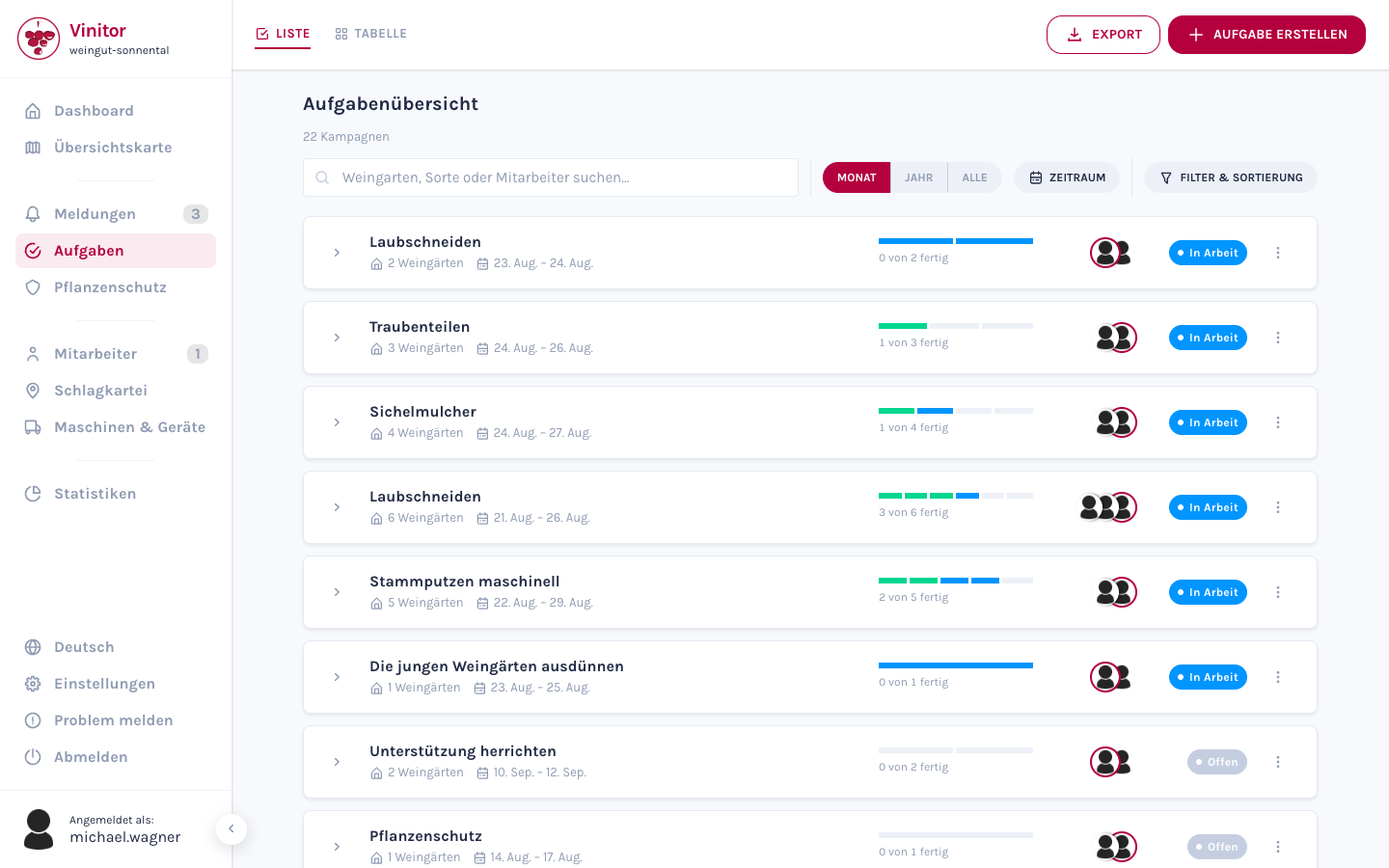
The new task table shows all tasks as a grid: vineyards in the rows, task types in the columns.

Improvements

  • Table view — vineyards as rows, task types as columns
  • Colour-coded status per cell (in progress, paused, done)
  • Progress display per vineyard and per task type
  • Status filter — show and hide individual task statuses
  • Status legend for the colour codes
  • Report markers on the map overview

Salary History & Grouped Task Lists

Feature Mobile app Dashboard

Each employee now has a salary history in the dashboard. Tasks in the mobile app are grouped by day, new reports get a location button, and login supports password autofill.

Improvements

  • Salary history with a record per employee
  • Task list grouped by day in the mobile app
  • Location button in new reports
  • Password autofill in the mobile app
  • Background GPS in the mobile app

Vinitor 1.1 — Automatic Time Tracking & Compliance

Feature Mobile app Dashboard

Version 1.1 brings automatic working-time tracking via GPS, data-protection compliance and background location tracking.

Improvements

  • Automatic time tracking — working hours are assigned via GPS
  • Background GPS — location tracking even when the app is closed
  • Data-protection compliance — location sharing with explicit consent
  • Account rating system for new businesses
  • Non-sensitive user data as a fallback for restricted roles
  • UI improvements in the dashboard

Generic Fields, Map Overview & Statistics Modal

Feature Dashboard Mobile app

Custom fields for tasks, an interactive map overview and detailed statistics analyses with filter dialogs.

Improvements

  • Generic fields — define your own data fields for tasks
  • Interactive map overview with all vineyards and report markers
  • Statistics page with filter dialogs by employee, vineyard and period
  • Task detail rework with a better overview
  • User group redesign with a new layout
  • App support status and redirect to the App Store

Vinitor Beta — Sorting, Groups & the First App

Feature Dashboard Mobile app

The first public release of Vinitor: sort and group tasks, create vineyard groups, and the first mobile app.

Improvements

  • Dashboard with a task, employee and vineyard overview
  • Sorting for tasks, reports, employees and vineyards
  • Group tasks by type and team
  • Create and manage vineyard groups
  • Statistics page with bar charts
  • Mobile app with a task list and report creation
  • File upload for profile pictures and documents