Campaigns, six priorities and 16 languages — the August update is here
With today’s update you no longer plan tasks one at a time, but as a campaign spanning several vineyards. On top of that come six priority levels instead of four, 16 languages in the dashboard and the app, and a new conflict screen for the vineyard import.
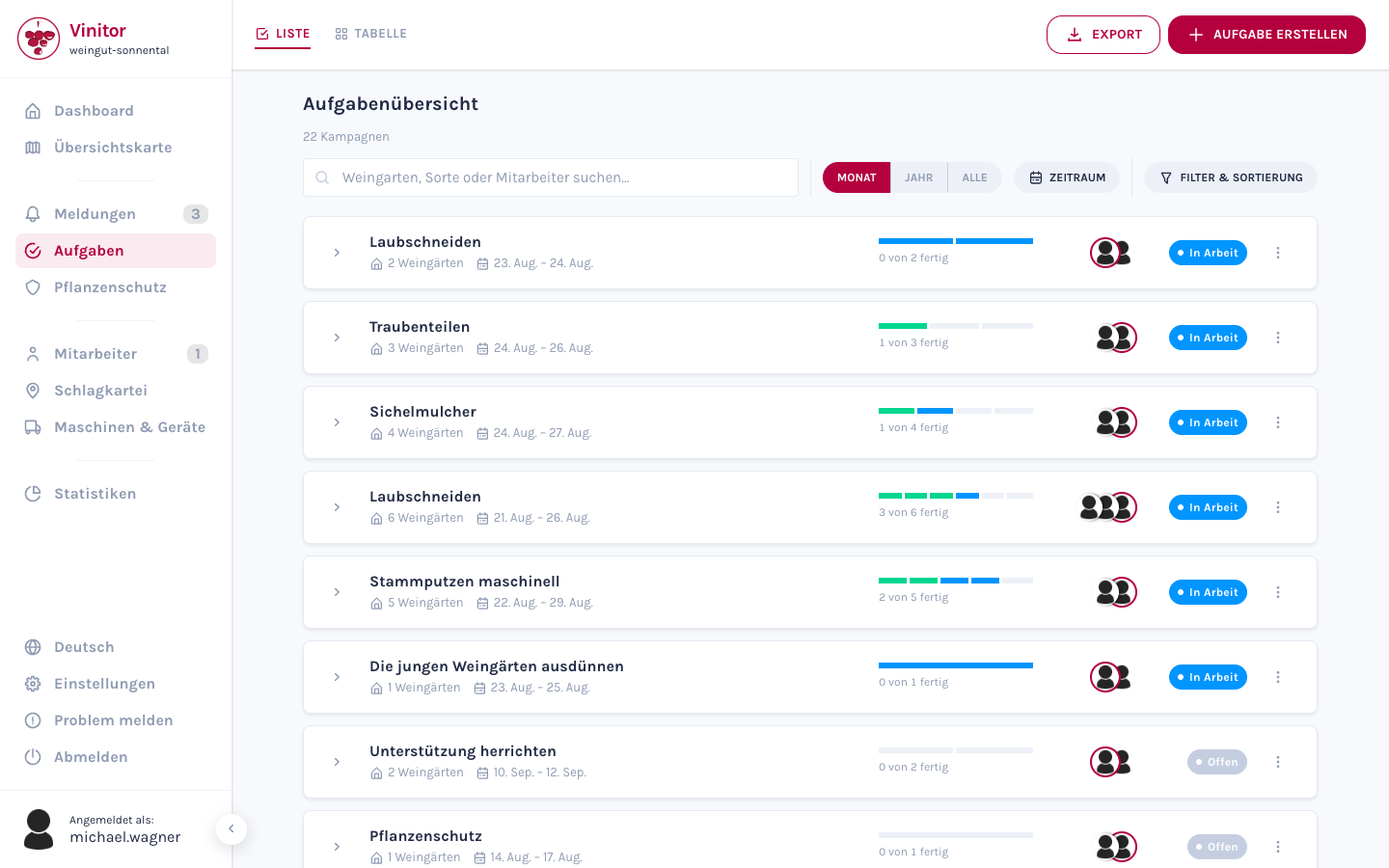
Campaigns: one pass instead of six rows
“We’re doing the leaf removal on the east-facing sites next week” is not one task, and it isn’t six tasks either. It is one pass across six Rieds that takes two weeks. That is exactly how you see it now: one row, one progress bar, one notch per vineyard.
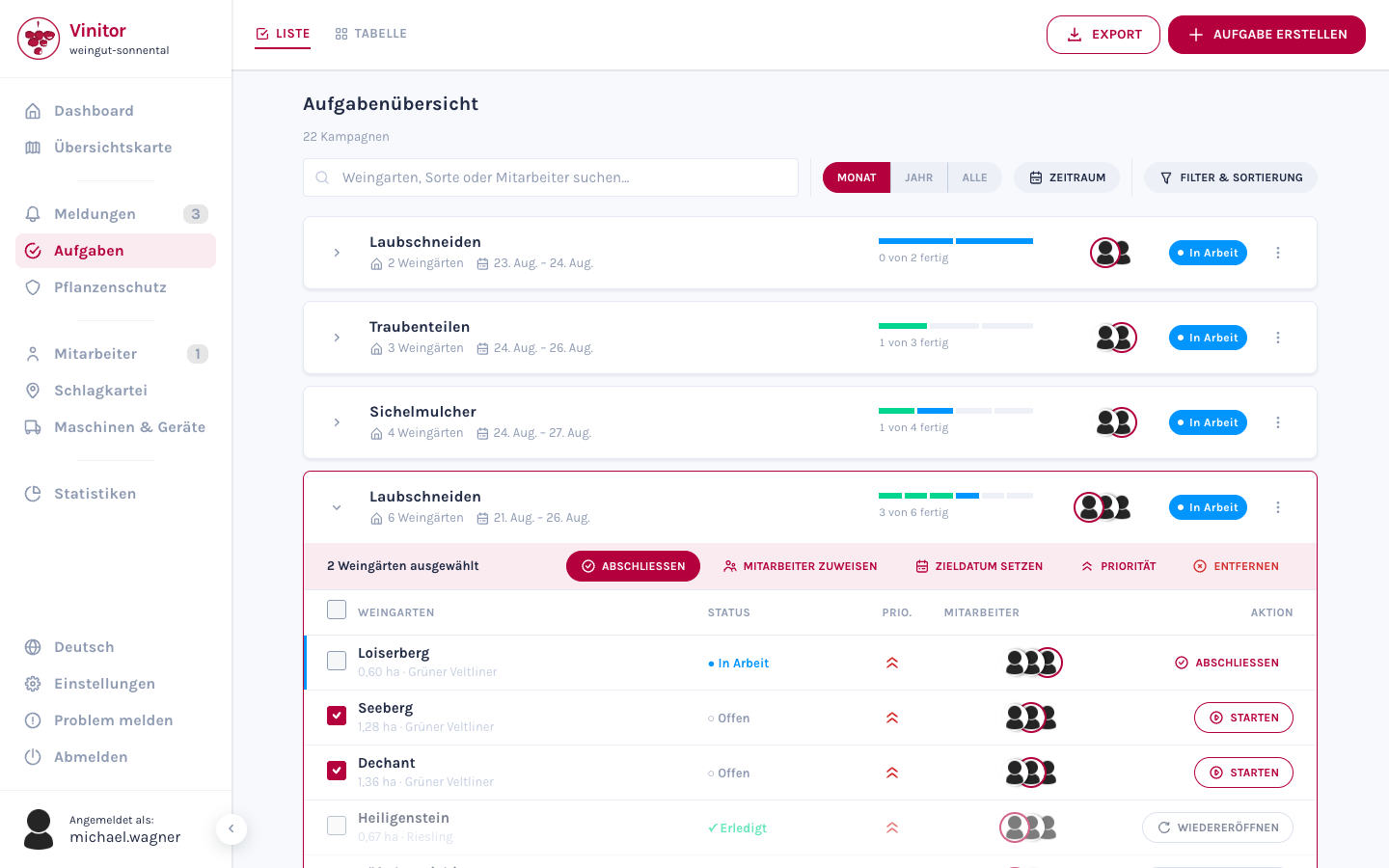
How far along you are, at a glance. Next to the bar it reads 3 of 6 done. Expanded, you see which three — with status, priority and employees per vineyard.
Complete several vineyards at once. Tick the vineyards and apply the action to all of them: complete, assign employees, set a target date, change the priority. Instead of clicking the same thing six times.
Completed tasks can be reopened. If you ticked off a vineyard by mistake, Reopen brings it back — working times, GPS tracking and history are kept. Until now the task had to be deleted and created again for that.
Task table: every column a pass
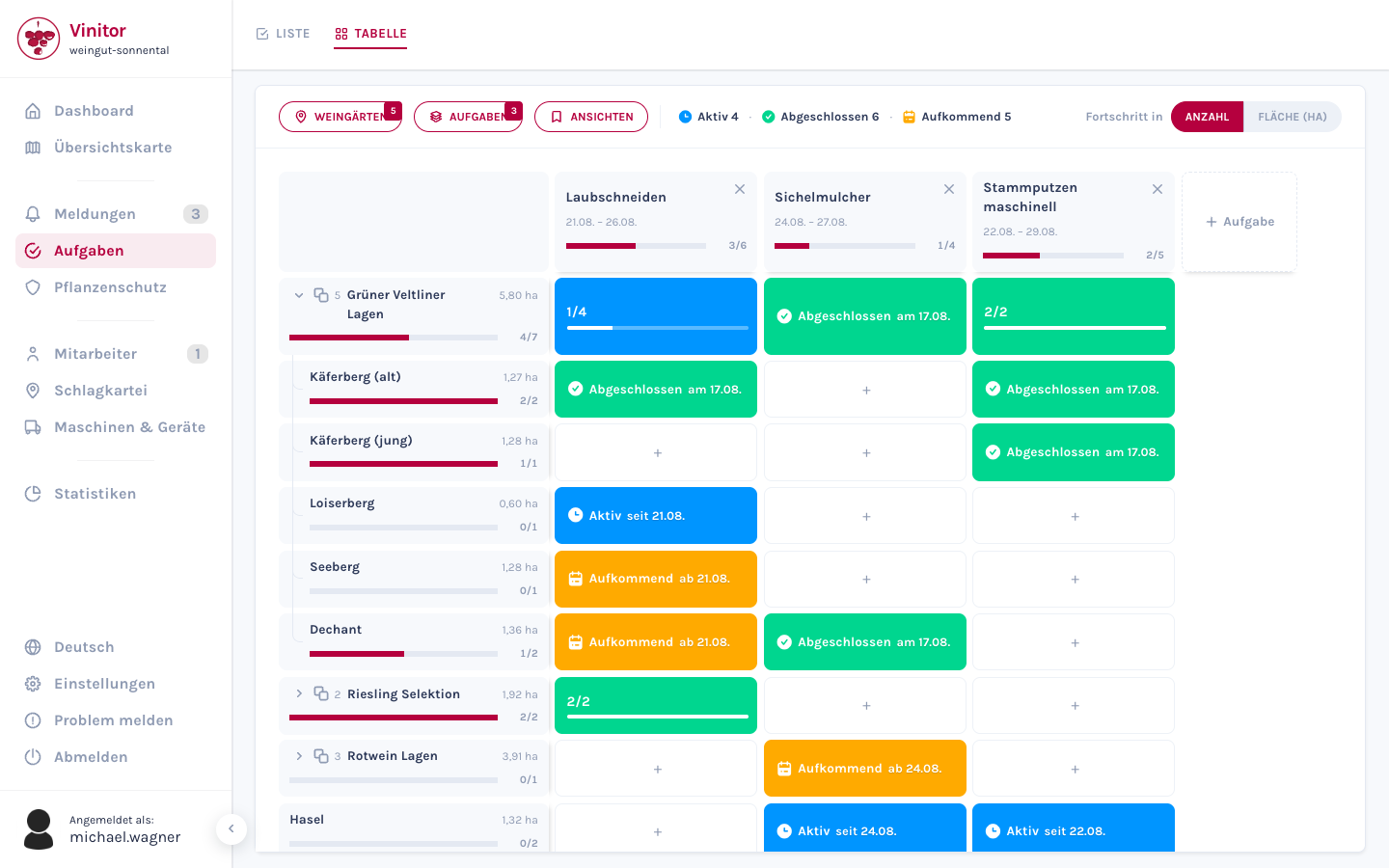
In the table, the columns are now campaigns instead of task types. Two canopy passes in the same year therefore no longer land in the same column — they sit side by side, each with its own period.
Whole groups as a row. A vineyard group is a row that expands to its members.
Progress by count or by area. A toggle calculates progress either in vineyards or in hectares.
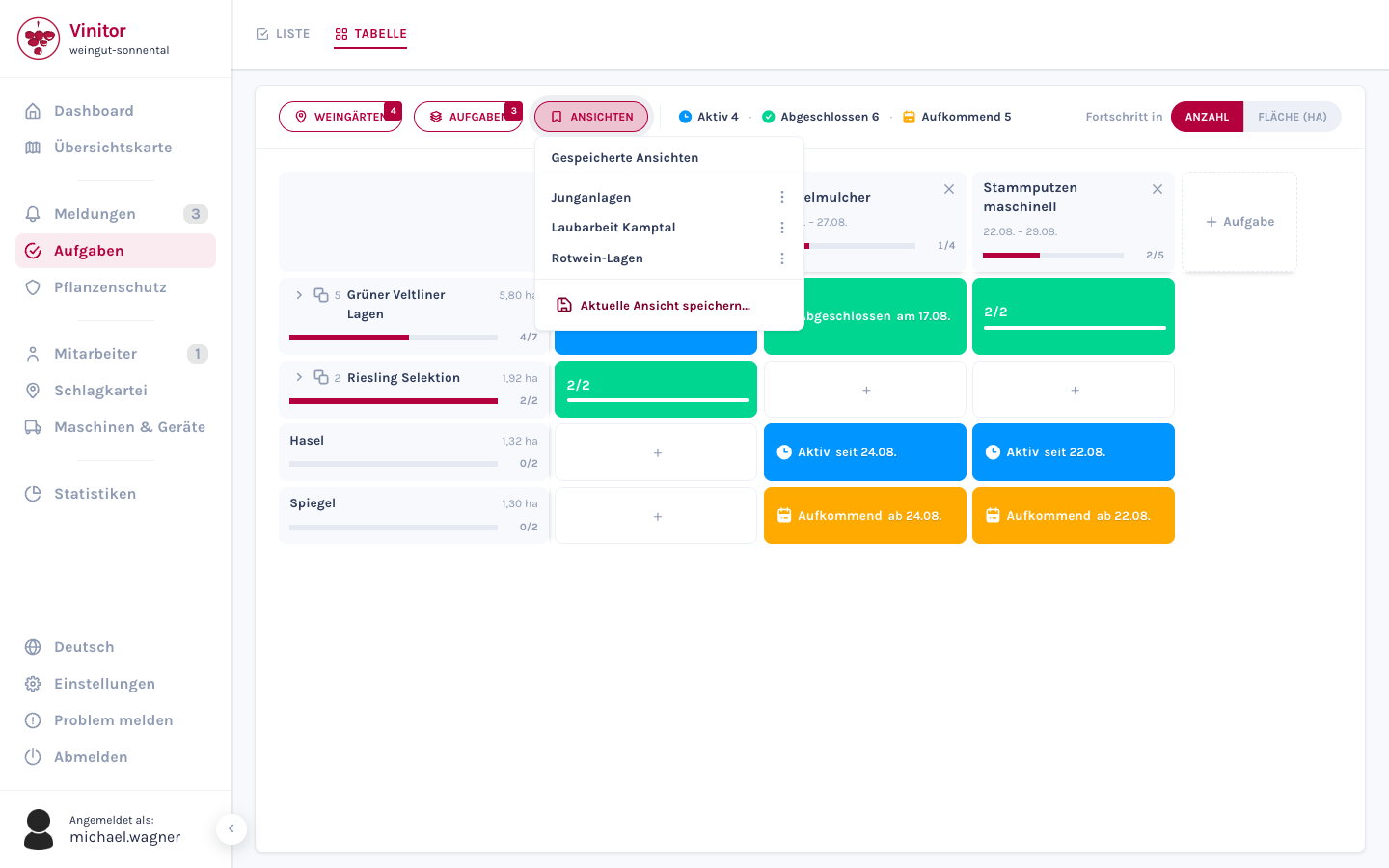
Save views. If you need the same Rieds and campaigns side by side every Monday, you save that arrangement once and call it up afterwards with a single click.
Six priority levels
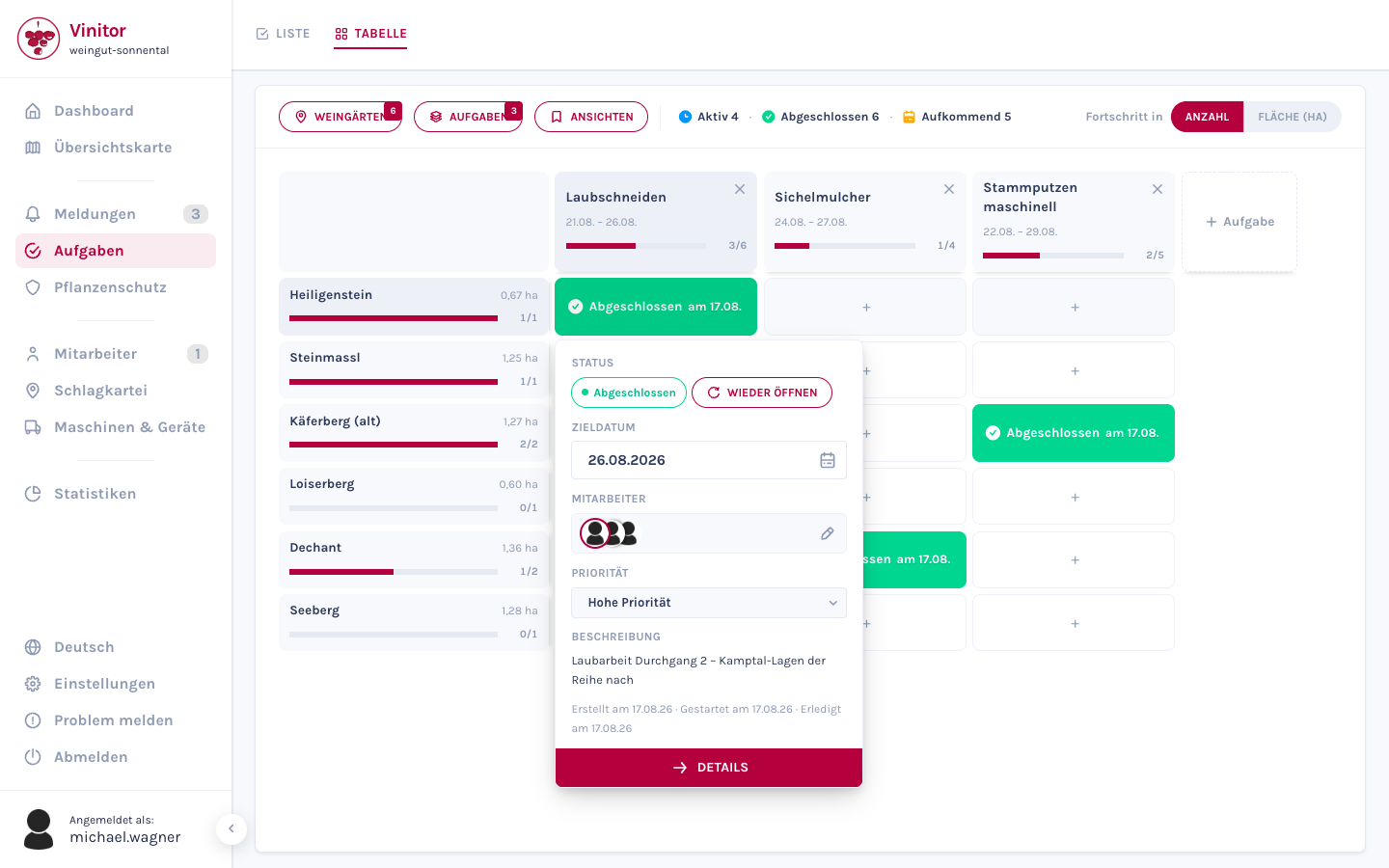
Instead of four there are now six levels: Very High, High, Medium, Low, Very Low and No Priority. There is a difference between “has to happen this week” and “has to happen today”, and it can now be expressed.
You can set the priority when creating a task, in the detail view, directly in the table cell and for several vineyards at once — and in the mobile app.
The Paused status is gone. It was barely used in practice. That leaves three statuses, and the map legend now has three entries instead of four.
16 languages
On many businesses, the people at work come from Romania, Hungary, Poland, Slovakia, Croatia and Ukraine. You create the tasks — your team sees them on their phone in their own language, without a briefing session.
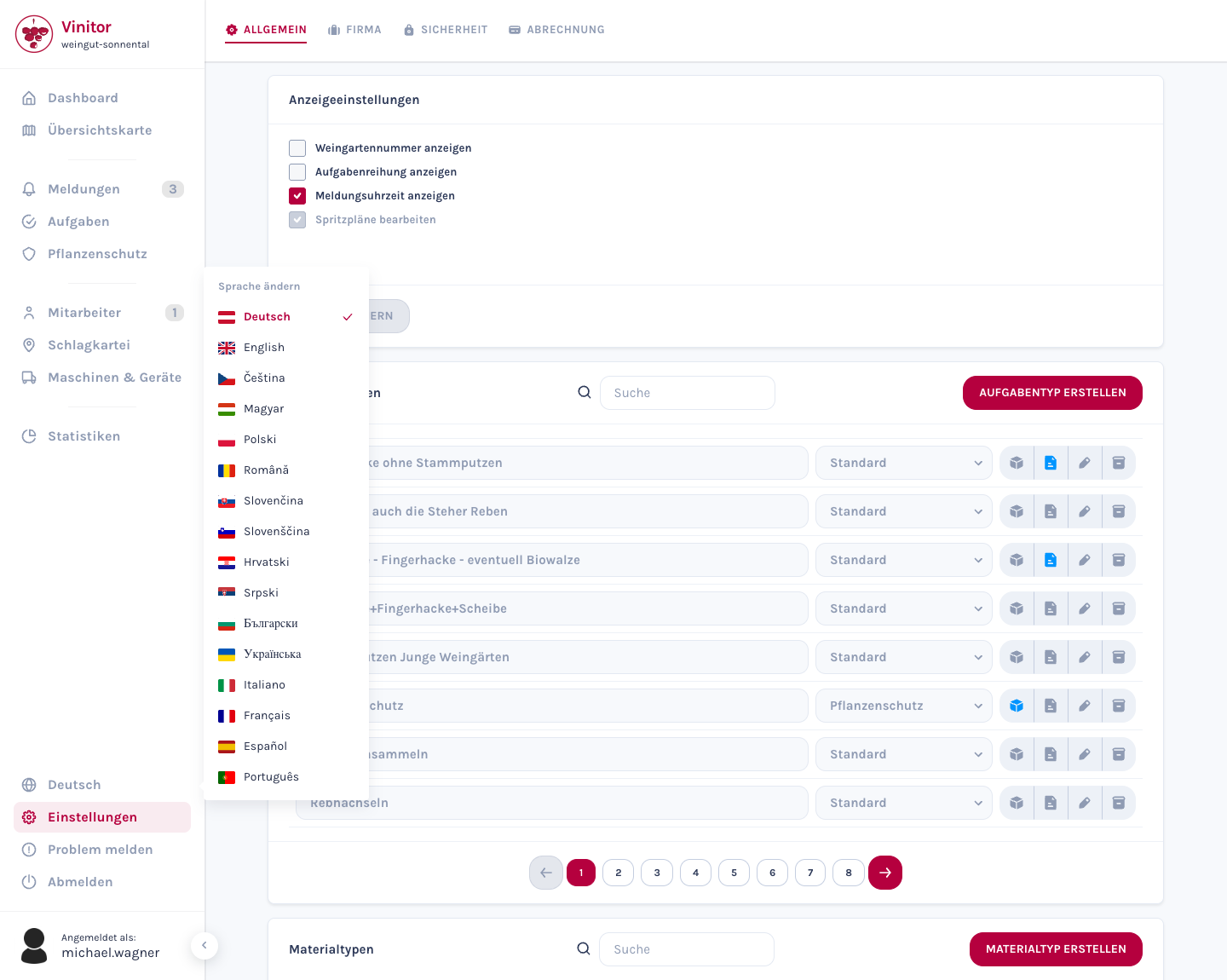
German, English, Czech, Hungarian, Polish, Romanian, Slovak, Slovenian, Croatian, Serbian, Bulgarian, Ukrainian, Italian, French, Spanish and Portuguese.
Not just the interface. Emails arrive in the recipient’s language — an invitation to a Hungarian employee is in Hungarian, even if the business works in German. Billing emails stay in the language of the business.
The exports too. Spray plan, time tracking, vineyards, tasks and GPS produce their PDFs and CSVs in the chosen language. Date and number formats follow.
The app switches itself. It follows the phone’s language setting — anyone whose phone is set to Romanian gets Vinitor in Romanian without configuring anything.
In the dashboard, the language picker sits in the sidebar, not in the settings: a globe icon can be found even by someone who cannot read the interface at that moment.
Import conflicts on a single screen
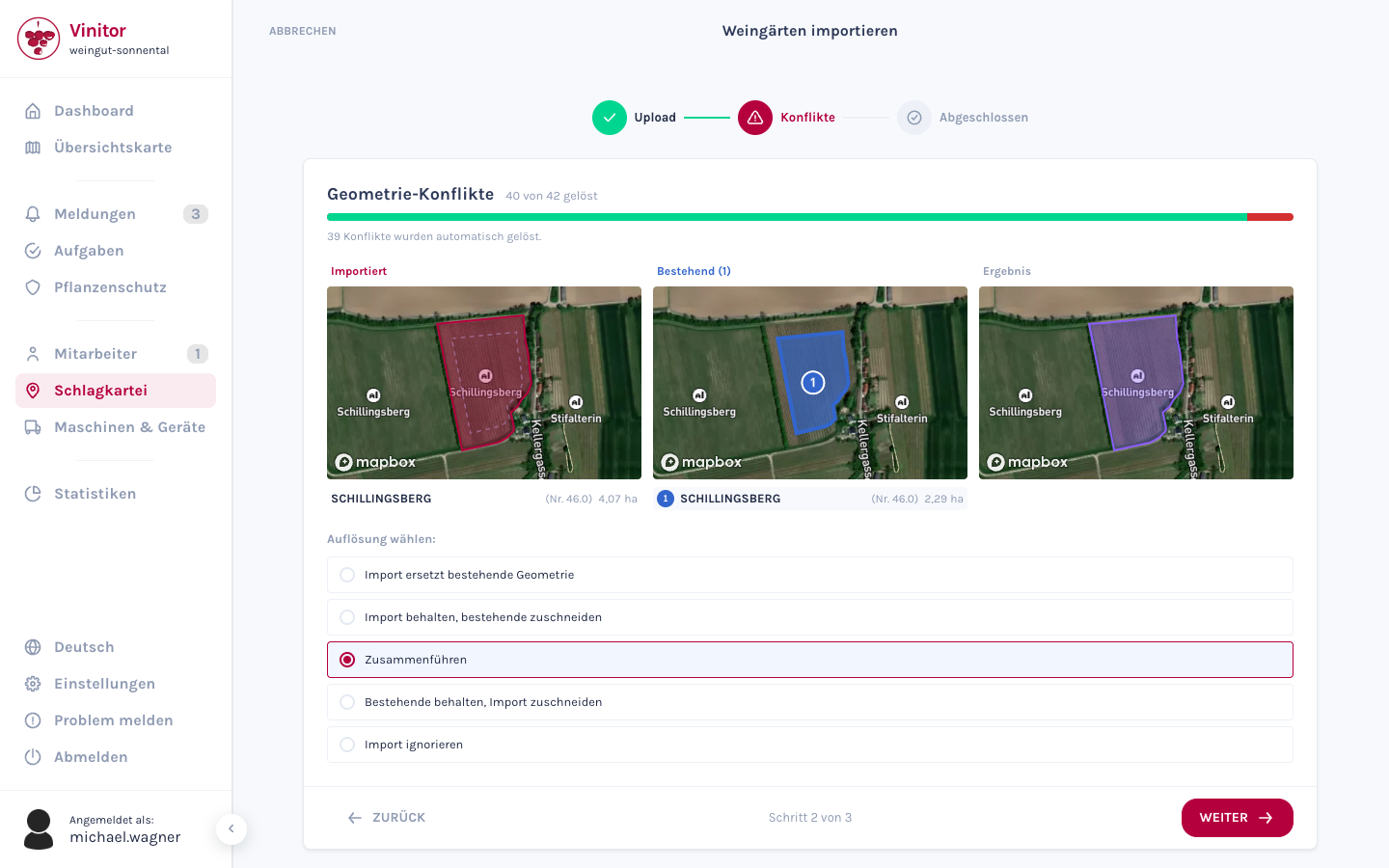
When importing from eAMA, FIONA, LAFIS, LEA or LAWIS+, new parcels almost always overlap with existing vineyards — boundaries are re-surveyed, areas merged, numbers reassigned.
All three maps in the same viewport. Imported, Existing and Result sit side by side and show the same map viewport. What lies in the top left of one lies in the top left of the middle and the right-hand map too.
Overlaps are numbered. Hover over an entry in the list and the matching area lights up on the map.
You click Next yourself. Until now the wizard jumped on to the next conflict by itself after every choice. One misclick and you were already a page further on.
Other changes
- Login accepts an email address
- Roles are checked more strictly: anyone who manages users cannot change accounts with a higher role and cannot make anyone an administrator
Fixed bugs
- Logging in with an email address failed despite a correct password.
- The highest priority level was not rendered — the task looked like one with no priority.
- The spray plan export reported planned applications as 100 % applied, with a date on which no spraying took place. They now sit in a section of their own, Planned / not documented.
- The date picker showed German month and weekday names even when a different language was set.
- In the task table, the list responded with a delay on every click.
- Searching in the task table emptied campaigns that were found by their name.
- The language picker could not be reopened after being closed once.
- Vineyard areas in the expanded campaign were shown with too many decimal places.
If something is missing or getting in your way, write to us — feedback like that decides what gets built next.